
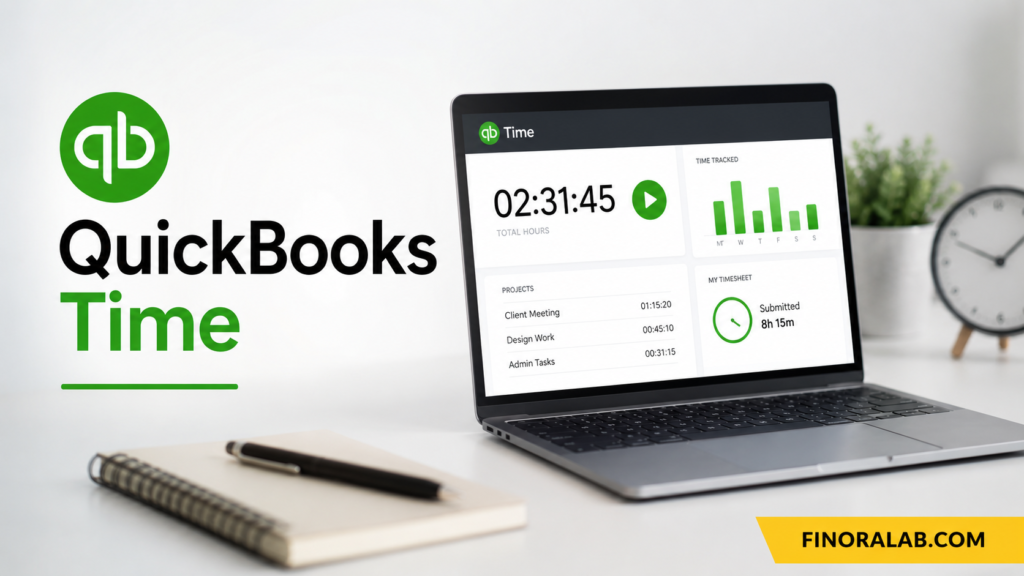
QuickBooks Time is time tracking software from Intuit designed to help businesses record employee and contractor hours, manage schedules, track projects, and connect time data with accounting and payroll workflows. The product was previously known as TSheets, so people searching for TSheets time tracking are generally looking for QuickBooks Time today. It is particularly useful for businesses with employees working across offices, customer locations, construction sites, client projects, or other mobile environments. QuickBooks Time can be accessed through a web browser and the QuickBooks Workforce mobile app.
For a business owner, accurate time tracking is more than an administrative task. Labor hours directly affect payroll, project profitability, customer billing, budgeting, and financial reporting. If employees manually enter hours at the end of the week, mistakes can accumulate and managers may have limited visibility into where labor costs are going. QuickBooks Time attempts to centralize these processes by combining time clocks, timesheets, scheduling, reporting, GPS functionality, and QuickBooks integrations. This guide explains how the platform works, its current pricing structure, major features, limitations, and situations where it may or may not make financial sense.
What Is QuickBooks Time?
QuickBooks Time is a cloud based employee time tracking platform that allows businesses to record working hours and connect that information with other QuickBooks workflows. Employees can clock in and out, switch between jobs or customers, submit timesheets, and manage certain time off activities. Managers can review and approve recorded hours before they are used for payroll, invoicing, or financial analysis. Intuits current support documentation confirms that workers can track hours against specific jobs or customers and can switch jobs during the workday.
The software is particularly relevant to businesses where labor is a major operating expense. Consider a contractor with 20 employees earning an average of $25 per hour. If the company pays 800 combined labor hours in a week, direct wages are $20,000 before payroll taxes and benefits. Even a 2% time entry error could represent $400 of weekly payroll difference. Accurate tracking therefore has a direct financial connection to budgeting and profitability. The value of time tracking software comes from reducing avoidable administrative work and improving the quality of the underlying labor data.
QuickBooks Time also fits into broader financial management. Accurate hours can support payroll processing, customer invoicing, project costing, labor forecasting, and management reporting. A business owner can compare budgeted hours with actual hours, identify projects consuming more labor than expected, and investigate differences before they become larger financial problems. For service businesses, this information can also help determine whether an hourly billing model is generating an adequate gross margin after employee compensation and other direct costs.
How QuickBooks Time Works
The basic workflow is straightforward. Employees can clock in through a supported web browser or the QuickBooks Workforce mobile app, select a job or customer when appropriate, record breaks, and clock out when work ends. Managers can then review submitted timesheets and approve the information. Intuits current documentation shows that workers can select a job or customer when clocking in and switch jobs when their work changes during the day.
This workflow can eliminate much of the manual process associated with paper timesheets or spreadsheets. Instead of asking employees to remember Mondays hours on Friday afternoon, the system can capture working time as it happens. That distinction matters because delayed entry increases the likelihood of forgotten breaks, incorrect job codes, duplicate entries, and inaccurate start or end times. Automation does not guarantee perfect data, but it can create a more consistent process that managers can review before payroll or billing.
QuickBooks Time also provides management visibility into who is working, what job they are assigned to, and how labor is being allocated. The platform offers customizable reports that can help businesses understand hours, job costs, and workforce activity. For example, a landscaping company could compare labor hours spent at different customer properties, while a consulting firm could monitor billable hours by client. This creates a connection between daily employee activity and the companys financial statements.
The platform is not limited to traditional office employees. Mobile functionality makes it relevant to construction companies, field service businesses, cleaning companies, healthcare related operations, professional services, and other organizations where workers move between locations. However, businesses should evaluate whether their employees have reliable internet access, compatible devices, and appropriate policies for using location based features. Technology is only useful when the operating environment supports consistent adoption.
QuickBooks Time Pricing and Plans
QuickBooks Time pricing currently centers on two plans Time Premium and Time Elite. The U.S. pricing page currently lists a regular base price of $20 per month for Time Premium plus $10 per user per month, while Time Elite is listed at $40 per month plus $12 per user per month. Each base fee includes one admin. Intuit is also currently advertising promotional introductory pricing, so businesses should verify the amount charged at checkout and the duration of any offer before purchasing.
The financial difference becomes more meaningful as the workforce grows. For example, using the currently listed regular rates, a business with 10 users would pay approximately $120 per month for Premium before applicable taxes or other charges $20 base plus $100 for users. Elite would be approximately $160 per month $40 base plus $120 for users. The annual difference would therefore be about $480. Whether that extra amount is worthwhile depends on whether the company needs Elite specific capabilities such as project tracking, mileage tracking, project estimates versus actuals, activity feeds, or timesheet signatures.
QuickBooks Time also has a 30 day trial according to Intuits current product information. The company states that the trial does not require a credit card at the beginning and that customers can activate paid service afterward. Promotional terms can change, and per user charges or other services may not necessarily be covered by every promotional offer. Businesses should therefore evaluate the ongoing subscription price rather than making a decision based only on an introductory discount.
Pricing should be evaluated against the financial value of accurate time data. Suppose a company spends $160 per month on Elite and accurate tracking helps identify $500 of previously unbilled labor each month. The software could potentially generate positive economic value. However, that result should not be assumed. The business must measure its actual billing practices, payroll errors, administrative time, and project cost visibility. A useful purchasing decision compares total software cost with realistic savings or revenue opportunities rather than relying on marketing claims.
QuickBooks Time Features for Employee Time Tracking
Time tracking is the foundation of QuickBooks Time. Employees can record hours electronically instead of relying on paper timesheets or manually reconstructing their schedules. Managers can review the information and identify discrepancies before payroll. The platform also supports time off management, alerts, notifications, photo attachments, and a time kiosk, depending on the plan and configuration. These features can be useful for businesses that need more structure around attendance and labor administration.
Scheduling is another useful capability. Businesses can create schedules by jobs or shifts and share them with employees. Managers can adjust schedules and use alerts to communicate changes or remind workers about overtime and timesheet deadlines. Better scheduling can improve labor planning because managers can compare planned staffing with actual hours. For example, if a restaurant consistently schedules too many employees during a low demand period, historical labor data can help management reconsider staffing levels.
The time kiosk can also be useful for fixed worksites. Rather than requiring every worker to use an individual smartphone, businesses can provide a designated device for clocking in and out. This can be practical for warehouses, offices, manufacturing facilities, and other environments where employees start and finish work at the same location. The correct setup depends on the companys workforce and workplace policies.
QuickBooks Time can also provide alerts and notifications. These tools can remind employees or managers about schedule changes, overtime, and timesheet approvals. Such automation may reduce administrative follow up. However, businesses should avoid creating excessive notifications. Too many alerts can lead to employees ignoring important messages. The best configuration focuses on events that have a clear operational or financial consequence, such as missed clock outs or approaching overtime.
GPS Tracking, Geofencing, and Mileage Tracking
GPS functionality is one of the features that distinguishes QuickBooks Time from basic digital timesheet systems. When enabled, the QuickBooks Workforce mobile app can share an employees location while the employee is on the clock. Intuit says the system can log location when employees clock in and update location during the workday. Managers can use this information to understand where workers are operating and improve job scheduling.
Geofencing can provide another layer of automation. Businesses can establish a virtual boundary around a job site, and eligible QuickBooks Time configurations can remind employees to clock in or out when entering or leaving the designated area. This can be useful for field service organizations where employees travel directly between customer locations. It can reduce the risk of forgotten clock ins, although businesses should establish clear policies so employees understand when location data is collected and why.
Mileage tracking is available with QuickBooks Time Elite. Intuit states that mileage can be tracked while employees are clocked in and that GPS technology can show how far they travel on the clock. The mileage information can then be reviewed in time entries and reports, including downloadable mileage reports. This can help businesses organize reimbursement records and support tax related documentation, although tracking software does not determine the correct tax treatment.
Privacy should be considered before enabling GPS features. Intuit states that QuickBooks Time does not save GPS points for users when they are off the clock, although geofencing can request GPS points from devices to determine whether a user has entered a defined area. Administrators do not have access to employee location data when workers are off the clock under the described configuration. Employers should nevertheless review applicable employment, privacy, and notice requirements and communicate location policies clearly to employees.
QuickBooks Time for Payroll and Invoicing
One of the strongest financial benefits of integrated time tracking is the connection between employee hours and payroll. QuickBooks Time can sync time information with QuickBooks accounting and payroll workflows, reducing the need for managers or payroll staff to re enter hours manually. Intuit currently states that QuickBooks Time can help businesses streamline payroll and invoicing and reports that users can save time during payroll processing. The actual benefit depends on how accurately the business configures and uses the system.
Consider a company processing payroll every two weeks for 25 employees. If a payroll administrator spends three hours collecting, checking, correcting, and entering timesheets, that represents six hours per month or roughly 72 hours annually. At an internal administrative labor cost of $30 per hour, the time alone represents approximately $2,160 per year. If automation reduces some of that work, the business may recover capacity for higher value activities. This calculation does not prove savings, but it illustrates how administrative time can be converted into a measurable economic cost.
Time data can also support customer invoicing. Suppose an agency bills a client $100 per hour and an employee records 35 billable hours in a week. The potential billable revenue is $3,500. If five hours are accidentally omitted, the business could miss $500 of potential billing before considering contractual adjustments or other limitations. Accurate time tracking can make billable work more visible and provide documentation for invoices. This is particularly relevant for consultants, agencies, attorneys, contractors, and other professional service businesses.
However, QuickBooks Time does not eliminate the need for financial controls. Managers should establish approval procedures, review unusual hours, confirm correct job assignments, and reconcile payroll or invoices with accounting records. Automated data can still be wrong if employees select the wrong customer or fail to clock out. The best system combines automation with human review, especially for payroll and customer billing where errors can have tax, employee relations, or contractual consequences.
QuickBooks Time for Project Management and Profitability
QuickBooks Time Elite includes project focused features designed to help businesses compare planned work with actual labor. Intuit lists project tracking, project estimates versus actuals, project activity feeds, and timesheet signatures among Elite capabilities. These tools can help management identify whether a project is consuming more labor than expected before the final invoice or project completion.
For example, assume a contractor estimates that a project requires 400 labor hours at an internal labor cost of $35 per hour. The expected direct labor cost is $14,000. After 300 hours, the project might already be trending above its original budget because the remaining work is larger than anticipated. If the actual estimate increases to 500 hours, direct labor could reach $17,500, creating a $3,500 unfavorable variance. Early visibility gives management more time to investigate scope changes, productivity problems, pricing issues, or resource allocation.
Project profitability becomes especially important when businesses use fixed price contracts. In an hourly contract, additional labor may generate additional revenue, subject to the agreement. In a fixed price project, additional labor generally increases cost without automatically increasing revenue. Time tracking therefore becomes a cost control tool. Management can compare actual hours against the original estimate and use historical data to improve future pricing and project planning.
The same principle applies to internal projects. A company may spend hundreds of employee hours implementing new software, redesigning a website, or developing a product. Tracking time against projects helps management understand the true resource cost. This information can improve budgeting, staffing decisions, and capital allocation analysis. Time tracking does not replace formal accounting, but it can provide operational data that helps explain why financial results differ from the original plan.
QuickBooks Time for Small Businesses and Different Industries
Small businesses can benefit from QuickBooks Time when payroll, invoicing, or project costing depends heavily on employee hours. Construction companies can use job based time tracking, GPS, mileage, and project estimates. Field service companies can track mobile workers across customer locations. Professional service firms can monitor billable hours. Retail or office based businesses may find scheduling, time clocks, and attendance management more relevant than GPS. The value therefore depends less on company size than on the complexity of its workforce and labor processes.
For construction and field services, location and job tracking can be especially relevant. A manager may need to know whether a worker is at the correct customer site, how many hours have been spent there, and how much travel occurred while working. QuickBooks Times GPS and geofencing features can support those workflows. However, businesses should ensure that location based monitoring complies with their internal policies and applicable laws.
Professional services businesses may have a different priority. A consulting firm might care less about GPS and more about accurately recording billable time against individual clients. Suppose a consultant works 40 hours but only records 32 billable hours. Management needs to know whether the remaining eight hours were internal administration, business development, training, or unrecorded client work. This information can affect utilization, pricing, staffing, and profitability analysis.
Small businesses should also consider administrative complexity. A five person company with simple hourly payroll may not need sophisticated project tracking. A 50 person field service company with multiple job sites may benefit considerably from automation. The correct decision is therefore based on the workflow being solved. Businesses should identify their current pain points before subscribing rather than purchasing features they will not use.
QuickBooks Time Benefits and Potential Limitations
The main benefit of QuickBooks Time is integration. Businesses already using QuickBooks can connect employee time data with accounting and payroll processes, reducing duplicate data entry and improving consistency. Mobile time tracking can support distributed teams, while scheduling and reporting can provide management visibility. GPS, geofencing, mileage, and project features can add additional value for businesses with mobile or project based workforces.
Another advantage is the potential improvement in financial visibility. Managers can use actual labor data to identify overtime, compare project budgets with actual hours, review billable time, and understand staffing patterns. This can support better budgeting and financial planning. Accurate labor information may also help business owners distinguish between revenue growth and profitable growth. A company can increase sales while becoming less profitable if labor hours rise faster than revenue.
There are also limitations. QuickBooks Time requires an appropriate QuickBooks account or compatible subscription for many configurations, and features differ between Premium and Elite. Intuits pricing information states that QuickBooks Online is required for QuickBooks Time, while its product information also describes integration with QuickBooks Online, QuickBooks Online Payroll, and QuickBooks Desktop under applicable conditions. Businesses should confirm compatibility before changing accounting systems or purchasing a plan.
Employee adoption can be another challenge. A time tracking platform only produces reliable data when employees use it correctly. Workers may forget to clock in, select the wrong project, fail to record breaks, or misunderstand location settings. Training and written policies are therefore important. Managers should establish clear expectations for time entry, corrections, approvals, overtime, GPS usage, and privacy. Technology can simplify the process, but it cannot replace good operational management.
QuickBooks Time vs. Manual Timesheets and Other Time Tracking Tools
Manual timesheets have one obvious advantage they are inexpensive to start. A small business can use spreadsheets or paper forms without paying for specialized software. However, manual processes become increasingly difficult as employee numbers, projects, locations, and payroll complexity increase. Data must be collected, checked, corrected, entered, and stored. The risk is not just administrative inconvenience. Incorrect hours can affect employee pay, customer invoices, job profitability, and financial reports.
Standalone time tracking applications can offer strong time management functionality without requiring a broader accounting ecosystem. They may be appropriate for businesses that use another accounting or payroll platform. QuickBooks Time becomes more compelling when a company wants its time data closely connected to QuickBooks workflows. The best choice depends on the existing technology stack, required integrations, workforce size, project complexity, and total cost of ownership.
When comparing software, businesses should calculate the full annual cost rather than comparing advertised monthly base prices. Include user fees, accounting subscriptions, payroll costs, implementation time, training, hardware for kiosks if needed, and potential add ons. For example, a $100 per month application costs $1,200 annually before taxes and additional charges. If it saves 60 administrative hours at $30 per hour, the time value is $1,800. That creates a potentially positive economic case, but only if the estimated savings are actually achieved.
A useful comparison should also consider reporting and data portability. Can managers obtain the reports they need? Can employees easily use mobile and web interfaces? Does the software integrate with existing payroll and accounting tools? Can the business export data if it changes platforms later? These questions are more important than simply choosing the software with the largest feature list.
How to Set Up QuickBooks Time Effectively
A successful implementation starts with a clear organizational structure. Define employees, contractors where applicable, jobs, customers, projects, tasks, pay categories, and time off rules before asking workers to start recording hours. Keep the structure simple enough that employees can choose the correct option quickly. If a worker must choose between 30 nearly identical project codes, errors become more likely. The system should reflect the way management actually wants to analyze labor.
Next, establish written timekeeping policies. Employees should know when to clock in, when to clock out, how breaks are recorded, what to do when they forget, how to switch jobs, and how corrections are requested. If GPS tracking is enabled, explain when location information is collected and how it is used. Managers should also understand how to approve timesheets and investigate unusual entries. Clear policies reduce disputes and improve data quality.
Businesses should test the workflow before fully deploying it. Run a sample payroll cycle and compare QuickBooks Time records with the old process. Check whether overtime calculations, job codes, employee classifications, and payroll exports behave as expected. Test mobile connectivity at real job sites if employees work in the field. A small pilot can reveal problems before they affect an entire workforce.
Finally, monitor results after implementation. Useful metrics can include payroll processing time, number of corrected timesheets, overtime hours, unbilled billable hours, project labor variance, and administrative hours spent managing time. Suppose a company previously corrected 30 timesheet errors per pay period and reduces that number to 10. Management can assign a financial value to the reduction and determine whether the software is delivering measurable operational benefits.
QuickBooks Time and Financial Management
Time tracking can support broader financial planning because labor is often one of a businesss largest controllable costs. Management can use historical hours to build more realistic budgets and forecasts. If a project consistently takes 20% more labor than initially estimated, future bids should reflect that experience. Similarly, if certain shifts consistently require overtime, managers can investigate whether scheduling or staffing needs to change.
Time data can also help with debt management and cash flow planning. A company that understands its labor obligations more accurately can forecast upcoming payroll requirements. This matters for businesses with seasonal revenue, uneven customer payments, or significant working capital requirements. Accurate payroll forecasts can reduce the risk of unexpectedly drawing on a line of credit or delaying other obligations. Time tracking is therefore connected indirectly to liquidity management.
For tax purposes, businesses should distinguish software generated records from tax advice. Mileage tracking, payroll records, contractor hours, and other information can support documentation, but the appropriate tax treatment depends on the business and applicable federal and state rules. QuickBooks Time itself notes that certain features are informational and should not be considered legal, accounting, or tax advice. Businesses should retain appropriate records and consult qualified professionals when tax treatment is uncertain.
The same data can eventually support strategic decisions. A business owner might discover that one customer generates strong revenue but requires unusually high labor hours. Another customer might produce less revenue but much stronger gross profit per labor hour. Without reliable time data, these differences can remain hidden. Management can use that information to improve pricing, customer selection, staffing, and investment decisions.
Conclusion
QuickBooks Time is a comprehensive time tracking solution designed to connect employee hours with payroll, invoicing, scheduling, projects, and financial management. Its capabilities include digital timesheets, mobile time tracking, scheduling, time off management, alerts, time kiosks, GPS tracking, geofencing, mileage tracking, and project management features depending on the plan. Current U.S. pricing lists Time Premium at $20 per month plus $10 per user and Time Elite at $40 per month plus $12 per user, although promotional pricing and terms can change.The software is most valuable when inaccurate or manual timekeeping creates a measurable business problem. Companies should evaluate it based on payroll efficiency, billing accuracy, labor visibility, project profitability, administrative time, and workforce complexity. Before purchasing, compare the ongoing subscription cost with realistic financial benefits and verify that the required QuickBooks integrations and features are included. Businesses should also establish employee policies, particularly when using GPS or geofencing. Used with appropriate controls, QuickBooks Time can turn daily employee hours into more reliable operational and financial information.
You may also read more blogs
FAQs
What is QuickBooks Time used for?
QuickBooks Time is used to track employee and contractor work hours, manage timesheets, schedule workers, monitor time against jobs or customers, and connect time data with QuickBooks accounting and payroll workflows. Depending on the plan, it can also provide GPS tracking, geofencing, mileage tracking, project management, project estimates versus actuals, and timesheet signatures. It is particularly useful for businesses where labor hours affect payroll, customer billing, project costs, or profitability.
Is QuickBooks Time the same as TSheets?
Yes. TSheets was rebranded as QuickBooks Time. Intuits current QuickBooks website explicitly states that TSheets is now called QuickBooks Time. The product has evolved as part of Intuits broader QuickBooks ecosystem, but people searching for TSheets, TSheets time tracking, or the TSheets app are generally looking for the current QuickBooks Time product.
How much does QuickBooks Time cost?
Current U.S. pricing lists Time Premium at $20 per month plus $10 per user per month and Time Elite at $40 per month plus $12 per user per month, with the base fee including one admin. Promotional prices may temporarily reduce the base subscription cost. Pricing can change, so businesses should verify the current amount before subscribing. Additional QuickBooks services, taxes, or other applicable charges may affect total costs.
Does QuickBooks Time have GPS tracking?
Yes. QuickBooks Time supports GPS based time tracking through the QuickBooks Workforce mobile app. Intuit says location data can be shared while employees are on the clock, and GPS can help managers understand where employees are working. GPS and geofencing availability depends on the plan and configuration. Businesses should also establish clear employee policies and consider applicable privacy and employment requirements before enabling location tracking.
Can QuickBooks Time track mileage?
Yes. Mileage tracking is available in QuickBooks Time Elite. Intuits current documentation states that mileage can be tracked while a worker is clocked in and that mileage information can be viewed through timesheets and reports. Businesses can download mileage reports and use the information for expense management and recordkeeping. However, software generated mileage records do not by themselves determine whether a trip qualifies for a particular tax deduction or reimbursement.
Does QuickBooks Time work with payroll?
QuickBooks Time can integrate time data with QuickBooks payroll workflows under applicable subscriptions and configurations. Intuit describes the platform as a way to streamline payroll by syncing time information and reducing manual entry. Businesses should still review timesheets before payroll is finalized because automated systems can contain incorrect job selections, missed breaks, forgotten clock outs, or other data entry issues.
What is the difference between QuickBooks Time Premium and Elite?
Time Premium focuses on core employee time and attendance features such as time tracking, scheduling, time off management, alerts, photo attachments, time kiosks, and payroll or invoicing integration. Time Elite adds project oriented capabilities and mileage tracking, including project progress, project estimates versus actuals, activity feeds, and timesheet signatures. Businesses should choose Elite when those additional capabilities solve a real operational or financial problem.
Can QuickBooks Time track projects?
Yes. Project tracking is an Elite feature. Businesses can track time against projects and compare budgeted hours with actual hours worked. This can help managers identify labor cost overruns while a project is still underway. For fixed price projects, this information can be particularly valuable because additional labor can reduce profit if revenue does not increase proportionally.
Is QuickBooks Time good for small businesses?
It can be a strong option for small businesses that need employee time tracking connected with QuickBooks, especially companies with mobile workers, hourly employees, billable projects, or complex payroll processes. A very small business with only a few employees and simple operations may find spreadsheets sufficient. The right decision depends on the cost of the software compared with the time saved, payroll accuracy gained, billing recovered, and financial visibility created.
Does QuickBooks Time work on mobile devices?
Yes. QuickBooks Time provides mobile access through the QuickBooks Workforce app, which is available for supported iPhone, iPad, and Android devices. Mobile functionality allows employees to track and submit time away from a desktop computer. Some features are not available in exactly the same way on mobile apps and mobile browsers, so businesses with field workers should test the actual workflow and device requirements before deployment.
