
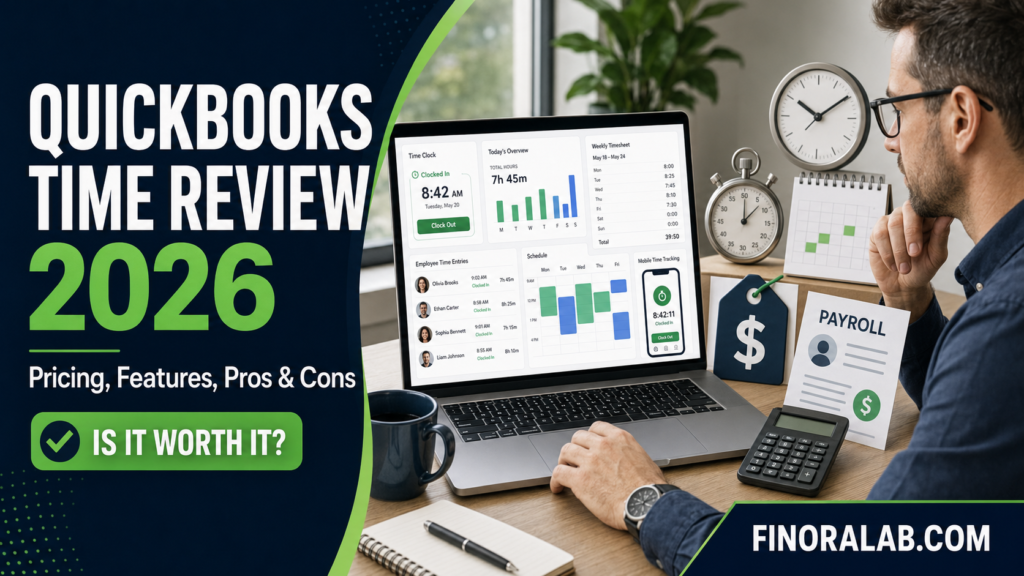
Recording employee hours may appear simple until a business manages several workers, job sites, pay rates, projects, and overtime rules. Paper timesheets and spreadsheets can quickly produce missing entries, payroll disputes, billing delays, and inaccurate labor costs.
QuickBooks Time is a cloud based employee time tracking system designed to replace or reduce manual timekeeping. Employees can clock in and out using a mobile application, web browser, or shared kiosk, while managers review timesheets and transfer approved hours to supported payroll, accounting, and invoicing systems.
The service can be especially appealing to businesses already using QuickBooks. Time entries can move into connected workflows without the same level of manual re entry required by separate systems.
That convenience does not automatically make the platform suitable for every employer. Subscription costs, GPS privacy, internet requirements, employee adoption, software setup, and wage and hour responsibilities all require careful consideration.
This QuickBooks Time review explains how the platform works, what its plans include, how to estimate costs, and which questions employers should ask before subscribing.
What Is QuickBooks Time?
QuickBooks Time is an online workforce time tracking and timesheet management product offered by Intuit. It was previously widely known as TSheets before being incorporated into the QuickBooks product family.
The platform helps businesses record employee and contractor hours, organize time by job or customer, approve timesheets, manage time off, and transfer approved information into connected payroll and accounting workflows.
Employees can use the QuickBooks Workforce mobile application to clock in and out, select a job, submit time, review schedules, and perform other supported tasks. Managers can monitor attendance, review hours, make corrections, and approve timesheets.
Depending on the selected plan, features may include GPS location information, mileage tracking, employee scheduling, a shared time clock kiosk, project activity tools, geofencing, and labor related reporting.
QuickBooks Time is a timekeeping tool rather than a substitute for payroll compliance. Employers still need to establish lawful pay policies, classify workers properly, maintain records, review overtime, and pay employees correctly.
Quick Summary Table
| Category | Key details |
| Main purpose | Employee time tracking and digital timesheets |
| Typical users | Small and midsize businesses with hourly or mobile workers |
| Premium regular price | $20 monthly base fee plus $10 per user |
| Elite regular price | $40 monthly base fee plus $12 per user |
| Administrator | Base fee includes one administrator |
| Mobile access | QuickBooks Workforce application |
| Payroll connection | Approved time can sync with supported accounting and payroll systems |
| GPS tools | Location tracking while workers are clocked in |
| Advanced location feature | Geofencing is associated with Elite |
| Project features | Job tracking, labor information and project collaboration |
| Main benefit | Reduces manual time entry across business workflows |
| Main risk | Incorrect settings or entries can still produce payroll errors |
| Privacy issue | Location tracking requires clear policies and appropriate legal review |
| Important requirement | QuickBooks states that a QuickBooks Online account is required |
| Best practice | Confirm current prices and plan terms before subscribing |
Prices were reviewed on July 20, 2026. Intuit can change pricing, discounts, eligibility, and feature availability. Check the latest official QuickBooks Time pricing page before purchasing.
How QuickBooks Time Works
The employer first creates an account, configures company settings, and adds employees or other approved users. Customers, jobs, projects, service items, pay types, and time off policies may also be configured.
A worker then uses the supported application, browser, or kiosk to begin a shift. The worker may select the customer, project, task, location, or service associated with the work.
The system records the starting time. If authorized location features are enabled, it may also collect GPS data while the employee is on the clock, subject to device settings and service availability.
During or after the shift, workers can change jobs, take breaks, enter notes, attach information, or clock out. The exact process depends on how the employer has configured the account.
Managers review submitted time and investigate exceptions. Common issues include missed clock outs, wrong job selections, duplicated entries, unapproved overtime, or hours assigned to the incorrect customer.
Once the records are accurate, a manager approves the timesheets. Approved time can then be transferred into supported payroll, accounting, project costing, or invoicing workflows.
The employer remains responsible for verifying the final payroll or invoice. An accurate transfer does not help if the original time entry or job assignment was wrong.
Practical QuickBooks Time Example
Consider a plumbing company with 10 technicians who travel to customer locations. Each technician works on several jobs during the week, and customers are billed according to labor time.
At the beginning of a job, the technician clocks in and selects the relevant customer. The application records the time associated with that job. When the technician moves to another assignment, the selected customer or project is changed.
At the end of the pay period, the supervisor reviews the technicians hours, job assignments, breaks, overtime, and any missing entries. Approved hours are transferred to the connected payroll workflow.
The accounting team can also use billable time data when preparing customer invoices. Managers may compare estimated labor with actual recorded hours to identify unprofitable jobs or scheduling problems.
This workflow can reduce duplicate entry, but only if technicians select the right customers and managers review the records consistently.
QuickBooks Time Pricing in 2026
QuickBooks lists two main standalone time tracking plans Time Premium and Time Elite.
Time Premium has a regular listed base price of $20 per month plus $10 per user per month. The base fee includes one administrator.
Time Elite has a regular listed base price of $40 per month plus $12 per user per month. It adds more advanced project and workforce management capabilities.
At the time of review, Intuit advertised a 50% discount on the base fees for the first three months. That promotional rate reduced Premiums base fee to $10 and Elites base fee to $20 during the eligible period.
Temporary promotional prices should not be used when calculating the long term cost. Unless the offer specifically discounts per user charges, employers should assume those charges will continue at the stated rate.
Intuit also states that a QuickBooks Online account is required to use QuickBooks Time. This requirement can increase the complete cost for a company that does not already subscribe to an eligible QuickBooks product. QuickBooks Time plan details
Estimating the Real Cost
A business with 10 billable users on Time Premium could estimate its regular monthly Time subscription as
- Base fee $20
- User charges 10 × $10 = $100
- Estimated regular monthly cost $120
- Estimated annual cost $1,440
The same team on Time Elite could estimate
- Base fee $40
- User charges 10 × $12 = $120
- Estimated regular monthly cost $160
- Estimated annual cost $1,920
These illustrations exclude QuickBooks Online, payroll subscriptions, taxes, promotions, implementation assistance, devices, mobile data, and third party applications.
Businesses should clarify which workers create monthly charges. Ask how inactive, seasonal, terminated, contractor, and administrative profiles are billed.
The complete annual cost should be compared with the value of payroll time saved, reduced data entry, faster invoicing, better job costing, and improved attendance records.
QuickBooks Time Premium vs Elite
| Feature area | Time Premium | Time Elite |
| Basic employee time tracking | Included | Included |
| Workforce mobile application | Included | Included |
| Payroll and invoicing sync | Supported | Supported |
| Time off management | Included | Included |
| Basic scheduling | Available | Available |
| GPS time tracking | Available | Available |
| Geofencing | Not listed as a standard Premium feature | Available |
| Project activity tools | More limited | More advanced |
| Project collaboration | Limited | Included or expanded |
| Regular base price | $20 per month | $40 per month |
| Per user price | $10 monthly | $12 monthly |
| Best suited for | General attendance and payroll time | Project focused or field service teams |
Feature names and availability can change. Businesses should request a written feature comparison for their intended subscription rather than relying entirely on summaries.
Important QuickBooks Time Features
Mobile time tracking
Employees can use the QuickBooks Workforce application on supported smartphones and tablets. This is useful for teams that work outside a central office.
Mobile access depends on the device, data connection, application compatibility, account configuration, and occasional service availability. Not every desktop feature is necessarily available through the mobile application.
Digital timesheets
Managers can review multiple employee timesheets, identify missing information, make authorized corrections, and approve completed records.
Digital records may be more efficient than paper cards, but employers should document who can edit time and why changes were made.
Payroll and accounting integration
QuickBooks Time can transfer approved hours into supported QuickBooks payroll, accounting, and invoicing workflows. It also connects with selected external payroll platforms.
Integration may reduce manual entry and transcription errors. Additional software subscriptions or fees may apply, and businesses should test the connection before depending on it for live payroll.
GPS tracking
GPS tools can show the location of an employee while that person is clocked in. This can help assign nearby workers, verify field attendance, evaluate routes, and manage distributed teams.
According to Intuit, location information is intended to be associated with on the clock activity. Employers should still review exactly how the application and device settings operate. QuickBooks GPS information
Geofencing
Geofencing can use a virtual boundary around a job site to remind or support employees when clocking in or out. Intuit identifies geofencing as an Elite feature.
The feature may require location settings to remain enabled. QuickBooks states that its application may request location points while a user is off the clock to determine whether the device has entered a geofence, although those off clock points are described as remaining on the device rather than being stored on QuickBooks servers. QuickBooks mobile feature disclosures
Employers should explain this clearly before implementation and seek legal guidance where location monitoring laws require notice, consent, or other safeguards.
Scheduling
Managers can prepare and share employee schedules. Workers may receive access to shift information through supported applications.
Scheduling can improve coordination, but the company must still comply with applicable predictive scheduling, reporting time, rest period, and overtime requirements.
Time clock kiosk
A shared kiosk can allow several employees at one location to clock in and out using a common device. It may be suitable for offices, warehouses, shops, and job sites.
The employer should place the device in an accessible area, establish backup procedures, and prevent workers from clocking in for one another.
Job and project tracking
Time entries can be connected with customers, projects, tasks, or service items. Managers may then compare actual labor with budgets, estimates, or customer billing.
Accurate job costing depends on workers choosing the correct project and managers reviewing incorrect or unassigned entries.
Time off management
Businesses can track employee time off requests and balances through supported workflows. The feature may simplify scheduling and payroll preparation.
Policies must be configured according to company rules and applicable state or local laws. Software defaults should not be treated as legal guidance.
Mileage tracking
Supported GPS features can help record distance traveled while an employee is working. This may assist with expense reimbursement and business mileage records.
Businesses should verify mileage records and use the current tax or reimbursement rules applicable to their circumstances.
Benefits of QuickBooks Time
The strongest potential benefit is integration. Businesses already using QuickBooks accounting, payroll, invoicing, and project features may reduce the need to transfer time data manually.
Mobile access is useful for construction, cleaning, landscaping, consulting, home services, healthcare support, and other businesses with workers outside a central location.
Digital timesheets may reduce lost paper records, unclear handwriting, and delayed submissions. Managers can review information before payroll rather than discovering a problem after payment.
Job based time tracking can improve customer billing. A business may invoice faster and provide better support for labor charges.
Labor reporting can also help management identify overtime, underused employees, delayed projects, and jobs that consume more hours than estimated.
Location tools may improve field coordination, provided they are implemented lawfully and transparently.
Risks and Possible Disadvantages
Subscription costs can rise quickly as the workforce expands. A small base fee may appear affordable, but per user charges create a meaningful recurring expense.
A QuickBooks Online account requirement may increase the cost for businesses that use another accounting platform. Those businesses should compare independent time tracking services.
GPS and geofencing can create employee privacy concerns. Poorly communicated monitoring may damage trust even when the technology is legally permitted.
Workers may forget to clock in, select the wrong job, or leave the clock running. Automation does not remove the need for manager review.
Mobile applications depend on devices, batteries, internet or cellular connectivity, permissions, and user training. Field teams need a backup method when technology is unavailable.
Integration can also create false confidence. Incorrect time can move efficiently into payroll, invoices, and project reports, multiplying the impact of the original mistake.
Finally, the service does not determine whether an employee is exempt from overtime, whether a break is lawful, or how a complex wage rule should be applied. Those remain employer responsibilities.
Step by Step QuickBooks Time Setup Guide
Document your requirements
List employees, contractors, locations, jobs, pay rates, schedules, overtime rules, time off policies, billing methods, and payroll systems.
Compare the plans
Determine whether Premium covers your needs or whether geofencing and enhanced project tools justify Elites higher price.
Calculate the full annual cost
Include the base fee, every billable user, QuickBooks Online, payroll software, taxes, mobile devices, data plans, and any third party integrations.
Configure company settings
Set the company time zone, workweek, overtime preferences, time entry rules, approval responsibilities, and permitted editing.
Add users carefully
Enter employee information and assign appropriate roles. Limit administrator and manager privileges to people who need them.
Create customers and projects
Use consistent names and codes. Too many similar options can cause workers to select the wrong assignment.
Establish tracking policies
Explain when employees must clock in, how breaks are recorded, whether GPS is active, what data is collected, and how corrections should be requested.
Test the system
Run a limited trial with representative workers and jobs. Include overtime, time off, mobile use, missed entries, and payroll transfer.
Train employees and managers
Provide simple instructions and a contact person for problems. Managers need additional training on approvals, corrections, and exception reports.
Review the first live payroll
Compare approved time with schedules, job records, payroll calculations, and employee reports before submitting wages.
Reconcile regularly
Review payroll registers, invoices, project reports, and accounting entries after each cycle.
Common Mistakes to Avoid
- Selecting a plan based only on the promotional price
- Ignoring the cost of QuickBooks Online or payroll
- Adding users without reviewing monthly charges
- Activating GPS without a written employee policy
- Failing to check state and local privacy requirements
- Allowing employees to select from confusing job lists
- Sending unapproved time directly to payroll
- Editing employee records without an audit trail
- Assuming software calculates every overtime situation correctly
- Ignoring meal break or rest period requirements
- Failing to train supervisors
- Tracking time without connecting it to job profitability
- Depending on mobile access without a backup procedure
- Treating accurate time records as proof of correct payroll
- Failing to export and retain important records
Latest QuickBooks Time and Recordkeeping Update
As of July 20, 2026, Intuit lists Time Premium at a regular base price of $20 per month plus $10 per user. Time Elite is listed at $40 per month plus $12 per user. A temporary promotion offered 50% off the base fee for the first three months to eligible customers.
Intuit now presents mobile time functions through the QuickBooks Workforce application. QuickBooks Time access may also be included with certain QuickBooks payroll or workforce subscriptions, although features and additional charges can vary.
Employers should also understand federal recordkeeping responsibilities. The US Department of Labor states that employers covered by the Fair Labor Standards Act must maintain accurate records of hours worked and wages earned for covered nonexempt employees.
The Department of Labor generally requires payroll records to be preserved for at least three years, while records used to calculate wages—such as time cards, work schedules, and wage rate tables—should generally be retained for two years. Department of Labor recordkeeping guidance
State and local rules may require longer retention or additional records. Verify current requirements through authoritative government sources and qualified employment professionals.
Expert Tips for Better Time Tracking
Keep the job list short and well organized. Archive completed or inactive projects so employees can find the correct assignment quickly.
Review exceptions daily instead of waiting until payroll day. Missed punches and incorrect jobs are easier to resolve while the shift is still recent.
Require managers to explain material edits. A documented correction process protects both the business and employees.
Compare scheduled hours with recorded hours. Differences may reveal understaffing, overtime risk, missed shifts, or inaccurate entries.
Review labor cost by customer and project. Time tracking creates more value when the data improves estimates, pricing, staffing, and profitability decisions.
Explain location tracking in plain language. Employees should understand when it operates, why the company uses it, who can view the information, and how long records are retained.
Finally, treat software as part of the payroll control system—not as a replacement for supervision, reconciliation, and professional advice.
Is QuickBooks Time Worth It?
QuickBooks Time may be worth considering for businesses already using QuickBooks and needing mobile timesheets, payroll synchronization, project tracking, or field worker visibility.
Premium may suit companies primarily interested in recording attendance, approving timesheets, managing time off, and transferring hours into payroll or invoicing.
Elite may be more suitable for businesses requiring geofencing, advanced project activity, or greater collaboration across field based teams.
The value may be weaker for a very small team with simple fixed schedules or for a company committed to another accounting ecosystem. Those businesses should compare the complete annual price with competing time tracking tools.
Conclusion
QuickBooks Time combines digital timesheets, mobile clock in tools, GPS features, scheduling, time off management, and project based labor tracking. Its connection with QuickBooks accounting, payroll, and invoicing can reduce duplicate data entry and improve visibility into labor costs.However, employers should evaluate the full subscription cost, user charges, QuickBooks requirements, privacy considerations, and wage and hour responsibilities before subscribing.
You may also read more blogs
FAQs
What is QuickBooks Time used for?
QuickBooks Time is used to track employee and contractor hours, manage timesheets, organize time by customer or project, monitor attendance, and transfer approved information into supported payroll, accounting, and invoicing workflows.
How much does QuickBooks Time cost?
As of July 20, 2026, Time Premium is regularly listed at $20 per month plus $10 per user. Time Elite is $40 per month plus $12 per user. Promotions and terms may change.
Does QuickBooks Time include payroll?
QuickBooks Time records and transfers time, but payroll may require a separate eligible subscription. Some higher QuickBooks payroll or workforce plans may include time tracking access.
Does QuickBooks Time track employee locations?
QuickBooks Time offers GPS location features for supported mobile users. Employers should review how tracking works, establish a written policy, and comply with applicable privacy laws.
What is the difference between QuickBooks Time Premium and Elite?
Premium focuses on core mobile time tracking, timesheets, payroll synchronization, and time off management. Elite adds or expands advanced tools such as geofencing and project collaboration.
Do I need QuickBooks Online to use QuickBooks Time?
Intuits current timesheet page states that a QuickBooks Online account is required. Confirm the exact account and subscription requirements before purchasing.
Can QuickBooks Time help with invoicing?
Yes. Businesses can assign time to customers or projects and use approved billable time information in supported invoicing workflows. Every entry should still be reviewed for accuracy.
