
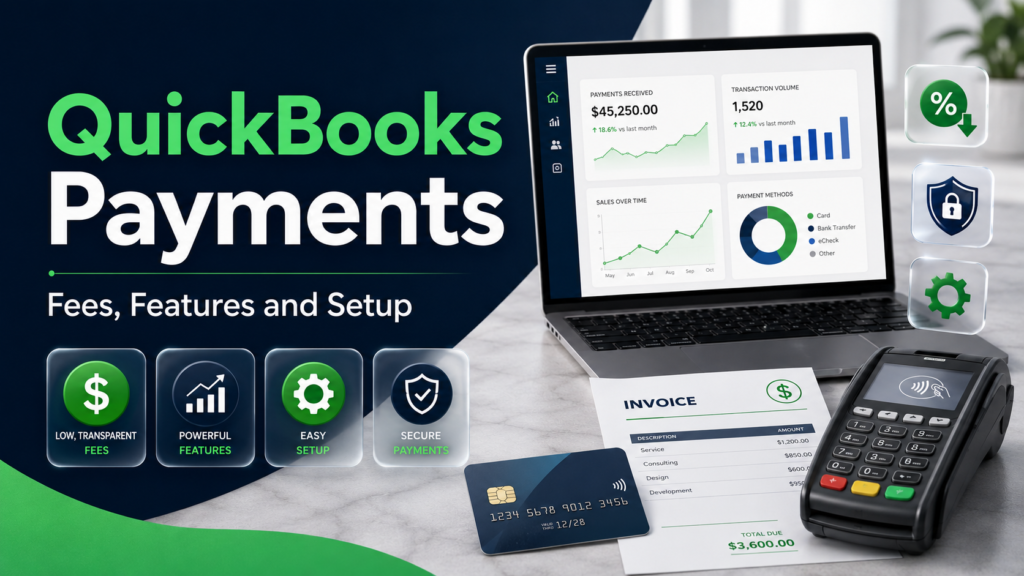
Getting customers to pay promptly is essential for maintaining healthy business cash flow. However, accepting digital payments can involve processing charges, deposit delays, chargebacks, and time consuming bookkeeping.
QuickBooks Payments is Intuits payment processing service for businesses that want to accept credit cards, debit cards, digital wallets, ACH transfers, and other electronic payment methods. Its primary advantage is direct integration with QuickBooks accounting and invoicing.
When a customer pays a QuickBooks invoice, the platform can record the payment, match it with the correct invoice, identify processing fees, and update the businesss books. This can reduce manual entry and make account reconciliation easier.
Convenience comes at a cost. Businesses should compare transaction rates, deposit timing, accounting requirements, customer payment preferences, and alternative processors before signing up.
This guide focuses on the U.S. version of QuickBooks Payments. Features, fees, supported methods, and availability may differ in other countries.
Quick Summary Table
| Feature | QuickBooks Payments details |
| Provider | Intuit |
| Primary users | Small businesses, freelancers and QuickBooks customers |
| Online cards and digital wallets | 2.99% per transaction |
| ACH bank payments | 1% per transaction |
| In person payments | 2.5% per transaction |
| Manually keyed cards | 3.5% per transaction |
| Instant deposit fee | 1.75% in addition to normal processing fees |
| Invoice payments | Supported |
| Recurring payments | Supported |
| In person card acceptance | GoPayment app, card reader or eligible Tap to Pay setup |
| Digital payment options | Cards, ACH, Apple Pay, PayPal and Venmo |
| Buy now, pay later | Limited availability through Affirm |
| Accounting integration | Payments can be recorded and matched automatically |
| First deposits | May take up to five business days |
| Later deposits | Many eligible payments can arrive the next business day |
| Contract | Terms depend on selected product review current agreement |
| Merchant approval | Required |
| Best suited for | Businesses already using QuickBooks |
The listed U.S. transaction rates were published by Intuit as accurate on April 30, 2026. Pricing can change and individual accounts may have different terms, so verify the current rate before activating the service.
What Is QuickBooks Payments?
QuickBooks Payments is a merchant payment processing service built into Intuits business accounting ecosystem. It allows approved businesses to accept customer payments through invoices, payment requests, mobile devices, card readers, or manually entered transactions.
The service is designed to connect the payment and bookkeeping process. When a transaction is completed, QuickBooks can record it, associate it with the customer, match it to an invoice, and reflect the payment in the companys financial records.
Businesses can use it for
- Online invoices
- One time payment links or requests
- Recurring customer payments
- Credit and debit cards
- ACH bank payments
- In person card transactions
- Contactless payments
- Telephone card payments
- Mobile payment acceptance
- Certain digital wallets
QuickBooks Payments is not a conventional bank account by itself. Payment proceeds are processed and deposited into a linked eligible account according to the applicable deposit schedule.
QuickBooks Payments Fees in 2026
Transaction fees depend on how the customer pays. A card entered manually generally costs more than an in person or online transaction because the fraud and chargeback risks can differ.
According to Intuits official payment rate page, the standard U.S. rates published as accurate on April 30, 2026, include
| Payment method | Published QuickBooks rate |
| Cards and digital wallets through invoices, recurring payments or payment requests | 2.99% |
| ACH bank payments | 1% |
| In person card payments | 2.5% |
| Manually keyed cards | 3.5% |
| Eligible buy now, pay later transaction | 2.99% |
| Instant deposit | Additional 1.75% |
These are processing rates, not necessarily the complete cost of every businesss QuickBooks setup. A paid QuickBooks accounting subscription, card reader, dispute protection service, international card fee, instant deposit, or other product may create additional expenses.
Always review your personalized pricing page and merchant agreement.
How to Calculate QuickBooks Payment Fees
Understanding the dollar amount of a percentage fee can help you choose the most economical payment option.
Online card example
Suppose a customer pays a $1,000 invoice with a credit card at a 2.99% processing rate.
$1,000×0.0299=$29.90\$1,000 \times 0.0299 = \$29.90$1,000×0.0299=$29.90
The estimated amount remaining before other adjustments is
$1,000−$29.90=$970.10\$1,000 \$29.90 = \$970.10$1,000−$29.90=$970.10
ACH payment example
If the same $1,000 invoice is paid through an ACH bank payment at 1%
$1,000×0.01=$10\$1,000 \times 0.01 = \$10$1,000×0.01=$10
The estimated amount remaining is
$1,000−$10=$990\$1,000 \$10 = \$990$1,000−$10=$990
In this simplified example, accepting ACH instead of a card saves the business $19.90.
Instant deposit example
If the business requests an instant deposit and a 1.75% additional fee applies to a $1,000 deposit
$1,000×0.0175=$17.50\$1,000 \times 0.0175 = \$17.50$1,000×0.0175=$17.50
That $17.50 is in addition to the normal transaction processing charge. Businesses should use instant deposits selectively instead of treating them as the default.
Actual settlements may be affected by refunds, disputes, reserves, fee timing, taxes, or account specific pricing.
How QuickBooks Payments Works
The process begins when a business applies for and receives approval for a QuickBooks Payments account.
Customer receives an invoice or payment request
The business creates an invoice in QuickBooks and enables the payment methods it wants to accept.
Depending on availability and account settings, customers may see options such as
- Credit card
- Debit card
- ACH bank payment
- Apple Pay
- PayPal
- Venmo
- Buy now, pay later
The business can enable or disable certain methods.
Customer submits payment
The customer chooses an available method and enters the required payment information through the secure payment experience.
For in person transactions, the merchant may use the QuickBooks GoPayment mobile application, Tap to Pay on a compatible device, or a card reader.
Payment is processed
The transaction is submitted for authorization and processing. Approval at the checkout stage does not always mean the funds are immediately available to the merchant.
A transaction may be reviewed, delayed, declined, reversed, or disputed.
QuickBooks records the transaction
QuickBooks can mark the associated invoice as paid and record the transaction in the accounting system.
Processing fees can appear separately, helping the business reconcile the gross sale, fee expense, and net deposit.
Funds are deposited
Approved funds are grouped into deposits and transferred to the linked account according to the merchants deposit schedule.
Deposit timing depends on the payment method, processing time, merchant history, risk review, bank, weekends, holidays, and account eligibility.
Supported Payment Methods
Credit and debit cards
Businesses can accept major card types through online invoices, payment requests, recurring billing, in person transactions, or manually keyed payments.
Card transactions provide customer convenience but generally cost more than ACH payments.
ACH bank payments
ACH transfers move funds electronically from the customers bank account.
They can be particularly useful for
- Large invoices
- Business to business transactions
- Rent or professional fees
- Recurring services
- Customers who prefer not to use cards
ACH payments may cost less than card transactions, but bank transfers can still be returned because of insufficient funds, invalid information, closed accounts, or authorization disputes.
Digital wallets
QuickBooks supports selected digital payment methods such as Apple Pay, PayPal, and Venmo for eligible transactions.
Availability can depend on the invoice, device, customer, product, and account configuration.
In person payments
Merchants can take cards in person using the GoPayment application and supported hardware.
Intuit also describes Tap to Pay on iPhone as an option for eligible users, while Android users may need a QuickBooks card reader for in person acceptance.
Manually keyed payments
A merchant can enter a customers card information manually for an authorized telephone or remote transaction.
Keyed transactions carry a higher published processing rate. They can also present greater fraud and chargeback exposure because the physical card may not be verified in person.
Buy now, pay later
QuickBooks may allow eligible businesses to offer installment payment options through Affirm. The merchant can receive payment according to the service arrangement while the customer repays the financing provider.
This feature has limited availability and is subject to eligibility, lending terms, and change. Businesses should not describe it as interest free unless the customers specific offer genuinely carries no interest.
QuickBooks Payments Deposit Times
New accounts may not receive normal speed deposits immediately.
Intuit states that the first batch of payments can take up to five business days while the merchant account is being established. Later payments may be deposited faster.
For eligible established accounts, Intuit says
- Payments processed before 3 p.m. Pacific Time may be deposited the next business day.
- Payments processed after 3 p.m. Pacific Time may arrive within two business days.
- Deposit speeds depend on the product and payment type.
- Federal holidays are not business days.
- Risk reviews or bank delays may extend the timeline.
Intuits deposit schedule guide explains that payment batches and individual deposit statuses can be reviewed from QuickBooks Online or the Merchant Service Center.
A business should not promise that every customer payment will be available the following morning.
Instant Deposits
Eligible merchants can request instant deposits, including during nights, weekends, or holidays.
The published instant deposit fee is 1.75% of the total deposit amount, in addition to ordinary transaction fees. Intuit notes that this fee may be waived when an eligible QuickBooks debit card is linked under applicable terms.
Instant does not necessarily mean immediate in every case. Third party networks, financial institutions, eligibility checks, or technical delays can affect arrival.
Instant deposits can be valuable during a genuine cash flow shortage, but frequent use can significantly increase processing expenses.
For example, paying an extra 1.75% on $20,000 of monthly deposits would cost
$20,000×0.0175=$350\$20,000 \times 0.0175 = \$350$20,000×0.0175=$350
A business should compare that cost with the benefit of receiving money sooner.
How to Set Up QuickBooks Payments
Create or access a QuickBooks account
Sign in through the official QuickBooks website or create an account.
Avoid sponsored websites that imitate Intuits login page.
Start the payments application
Select the option to activate or sign up for payments. Intuit requires businesses to complete a merchant application before accepting transactions.
Provide business information
The application may request
- Legal business name
- Business address
- Tax identification details
- Entity type
- Industry
- Ownership information
- Estimated processing volume
- Typical transaction size
- Bank account information
- Personal identification for responsible owners
Provide accurate information. Large differences between declared and actual transaction activity can trigger account reviews.
Link a bank account
Connect the account where payment proceeds should be deposited.
Confirm the routing and account numbers carefully. A rejected deposit can delay access to funds.
Choose accepted payment methods
Decide whether invoices should accept cards, ACH, PayPal, Venmo, or other available methods.
Offering every option may improve convenience, but it can also affect processing cost and dispute exposure.
Create a test invoice
Send a small internal or controlled invoice to review
- Branding
- Customer instructions
- Payment options
- Automatic reminders
- Accounting categories
- Fee recording
- Deposit account
Do not use fictitious card transactions that violate the merchant agreement.
Review deposit and fee settings
Check the Payments section to confirm deposit speed, linked account, processing status, and transaction pricing.
Benefits of QuickBooks Payments
Integrated bookkeeping
The strongest benefit is the connection between payment processing and accounting.
Payments can be recorded automatically and matched with invoices, reducing manual data entry and reconciliation work.
Faster customer payments
Customers can pay directly from an electronic invoice instead of preparing and mailing a check.
Convenient payment methods may reduce outstanding accounts receivable.
Multiple payment choices
Cards, ACH, digital wallets, recurring payments, and in person tools allow businesses to serve different customer preferences.
Real time invoice tracking
Businesses can see when an invoice is sent, viewed, paid, or overdue.
This helps staff prioritize collection activity.
Recurring payments
Companies with subscriptions, retainers, memberships, or ongoing service arrangements can schedule recurring transactions with customer authorization.
Centralized reporting
Sales, invoices, deposits, fees, and customer balances can be viewed within the QuickBooks environment.
No prepayment or interest risk
Unlike a loan, using a payment processor does not normally create borrowing interest. However, transaction fees and account liabilities still apply.
Risks and Limitations
Processing fees
Percentage based fees reduce the profit from every digital transaction. The effect is especially noticeable for low margin businesses.
Payment holds
A processor may hold funds while reviewing unusual activity, high risk transactions, disputes, identity information, or changes in processing patterns.
New merchants should maintain enough working capital to operate during a delayed deposit.
Chargebacks
A customer can dispute a card transaction. If the card issuer decides in the customers favor, the transaction amount may be reversed and additional consequences may apply.
Maintain signed contracts, delivery confirmation, refund policies, customer communications, and detailed invoices.
Dependence on the QuickBooks ecosystem
The service is most useful when a business already relies on QuickBooks. A company planning to leave the accounting platform should evaluate how payment and record migration would work.
Higher keyed card costs
Manual card entry has a higher published processing rate than online or in person payment acceptance.
International limitations
The U.S. service and rates do not automatically apply in other countries. International cards may also generate additional charges under current terms.
Account approval
Opening a QuickBooks account does not guarantee merchant approval. Payment processing access is subject to eligibility, verification, credit, and risk criteria.
QuickBooks Payments Versus Other Processors
| Comparison area | QuickBooks Payments | Standalone processor |
| Accounting integration | Native QuickBooks connection | May require an integration |
| Invoicing | Built into QuickBooks workflow | Varies |
| ACH support | Available | Varies |
| In person support | GoPayment and supported hardware | Often available |
| Bookkeeping automation | Strong for QuickBooks users | Depends on connection quality |
| Platform flexibility | Best inside Intuit ecosystem | May support more accounting systems |
| Pricing | Flat published rates for common methods | Varies by provider and plan |
| Migration | Can be harder if leaving QuickBooks | Depends on data portability |
Do not compare headline rates alone. Consider
- Monthly software cost
- Transaction fees
- Per transaction fixed charges
- Hardware costs
- Chargeback fees
- Refund treatment
- Deposit speed
- Instant deposit fees
- International card fees
- Accounting labor saved
- Customer payment preferences
The lowest processing rate is not necessarily the lowest total business cost.
Common Mistakes to Avoid
Ignoring net deposit amounts
Record both the full customer payment and processing fee. Treating only the net deposit as revenue can distort financial reports.
Using cards for every large invoice
ACH may cost less for large payments. Give customers a lower cost option where appropriate.
Assuming every deposit is next day
New accounts, risk reviews, holidays, and bank delays can extend deposit timing.
Using instant deposits routinely
A 1.75% additional charge can become expensive when applied to high monthly volume.
Manually entering cards unnecessarily
Keyed payments carry a higher published rate. Use secure invoice payments or supported in person methods when practical.
Failing to maintain evidence
Signed agreements, invoices, delivery records, refund terms, and customer communication can help respond to disputes.
Sharing account credentials
Create appropriate user permissions instead of giving every employee the main administrator login.
Clicking fake support links
Use official Intuit support channels. Scammers may impersonate QuickBooks and claim a payment is being held.
Latest QuickBooks Payments Update
As of the published U.S. rates dated April 30, 2026, QuickBooks lists
- Cards and digital wallets 2.99%
- ACH bank payments 1%
- In person payments 2.5%
- Manually keyed cards 3.5%
- Instant deposits an additional 1.75%
QuickBooks also promotes support for Apple Pay, PayPal, Venmo, ACH, card payments, recurring payments, and certain Affirm buy now, pay later transactions.
Eligible merchants processing sufficient volume may request a rate review. Intuits current support guidance states that QuickBooks Online merchants generally need to average at least $10,000 per month during the previous three months, while Desktop merchants generally need to average at least $15,000 per month and meet other account requirements. Intuits rate review guidance provides the current criteria.
Rates, thresholds, availability, and product terms can change. Verify them before making a purchasing decision.
Expert Tips for Businesses
- Encourage ACH for large invoices when appropriate.
- Calculate your effective processing rate every month.
- Include fees in product pricing decisions.
- Maintain an operating reserve for payment holds.
- Use clear invoice descriptions.
- Publish understandable refund and cancellation terms.
- Avoid routine instant deposits.
- Monitor deposit statuses regularly.
- Reconcile gross payments, fees, refunds, and net deposits.
- Request a rate review when eligible.
- Use two factor authentication.
- Restrict employee access according to job responsibilities.
- Keep delivery evidence for high value sales.
- Compare competing processors annually.
- Never misrepresent card fees or customer surcharges.
- Review state laws and card network rules before adding any surcharge.
Conclusion
QuickBooks Payments can provide a convenient way for small businesses to accept customer payments while keeping invoicing and bookkeeping in one system. It supports cards, ACH transfers, digital wallets, in person transactions, recurring payments, and several online payment methods. The main advantages are accounting integration, payment tracking, customer convenience, and reduced manual reconciliation. The major concerns include processing fees, chargebacks, fund holds, instant deposit costs, and dependence on the QuickBooks ecosystem. Before signing up, estimate your monthly processing costs, compare alternatives, review your personalized merchant terms, and choose payment methods that balance convenience with profitability.
You may also read more blogs
Social Security Payments May 2026
FAQs
What is QuickBooks Payments?
QuickBooks Payments is Intuits merchant processing service that allows approved businesses to accept cards, ACH transfers, digital wallets, invoices, and certain in person payments.
How much does QuickBooks Payments charge?
As of Intuits published U.S. pricing dated April 30, 2026, common rates include 2.99% for cards and digital wallets, 1% for ACH, 2.5% for in person payments, and 3.5% for keyed cards. Verify current pricing before applying.
How long do QuickBooks Payments deposits take?
A new accounts first deposits may take up to five business days. After setup, many eligible payments can arrive the next business day, but timing varies by payment type, processing time, risk review, holidays, and bank.
Does QuickBooks charge for instant deposits?
The published instant deposit fee is 1.75% of the deposit amount in addition to normal transaction fees. Certain eligible QuickBooks debit card arrangements may waive it.
Can customers pay QuickBooks invoices through ACH?
Yes. Businesses can enable ACH bank payments on eligible invoices. ACH generally has a lower published processing rate than card payments.
Does QuickBooks Payments require approval?
Yes. Businesses must complete a payments application and satisfy Intuits merchant eligibility, identity, banking, and risk requirements.
Is QuickBooks Payments worth it?
It may be valuable for businesses already using QuickBooks and wanting integrated invoicing, payment tracking, and bookkeeping. Businesses should compare total costs and features with other processors.
