
You check your bank balance before paying a bill, only to realize you still need to visit a branch for a simple task. Thats frustrating especially when most banking can now happen from your phone or computer.
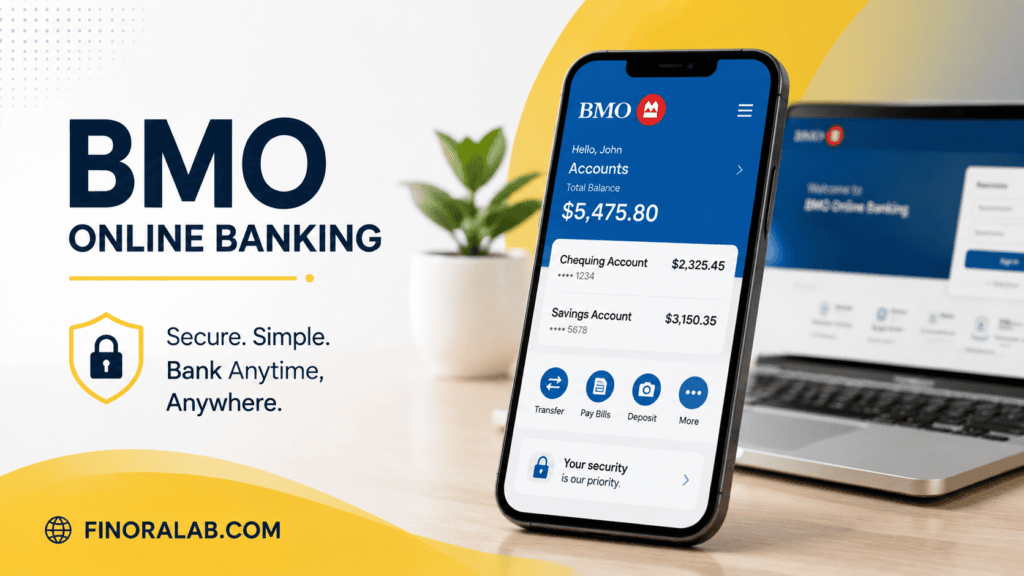
BMO online banking gives customers a way to handle everyday money tasks without standing in line. You can check balances, transfer money, pay bills, deposit checks, and manage accounts from almost anywhere.
But convenience does not mean you should ignore security, fees, or account settings. The smartest banking setup is one that saves time while keeping your money protected.
What You Can Do With BMO Online Banking
BMO online banking allows customers to manage their financial accounts through a digital platform instead of relying only on physical branches. It is designed for common banking tasks that people handle throughout the month.
Customers can typically use online banking to
- Check account balances
- Review transaction history
- Transfer money between accounts
- Pay bills
- View statements
- Manage account settings
- Send money through available transfer services
- Monitor spending habits
For many people, online banking becomes the main way they interact with their bank. A quick login can replace several trips to a branch.
The biggest advantage is control. You can see where your money is going and catch problems earlier.
How to Sign Up for BMO Online Banking
Setting up BMO online banking is usually straightforward, but you should complete the process carefully because your login protects access to your financial information.
You generally need
- A BMO account
- Personal identification information
- Your account details
- A secure email address or phone number
During registration, you will create login credentials and security settings. Avoid using passwords you already use on social media or other websites.
A strong banking password should be unique and difficult for others to guess.
Using a password manager can also help you create and store stronger passwords without needing to remember every login.
Features That Make BMO Online Banking Useful
The value of online banking comes from the small tasks it makes easier.
Some helpful features include
Account Monitoring
Checking your account regularly helps you spot unusual activity quickly.
For example, if you notice a $75 purchase you dont recognize, reporting it early can reduce potential problems.
Bill Payments
Instead of writing checks or mailing payments, you can schedule bills electronically.
This can help avoid late payments, which may affect your credit score if missed payments are reported.
Mobile Check Deposit
Many customers prefer depositing checks through their phone instead of visiting a branch.
You simply capture images of the check and submit the deposit through the mobile app, following the banks requirements.
BMO Online Banking vs Mobile Banking App
Many people use the terms online banking and mobile banking interchangeably, but there is a small difference.
BMO online banking usually refers to accessing your account through a website.
Mobile banking refers to using a smartphone application.
Both provide access to many of the same services, but mobile apps are often more convenient for quick tasks.
| Online Banking | Mobile Banking |
| Access through browser | Access through smartphone app |
| Better for detailed account management | Better for quick actions |
| Useful on computers | Useful while traveling |
A good approach is using both. A computer screen may be easier for reviewing statements, while a phone app is better for checking transactions quickly.
How BMO Online Banking Helps With Budgeting
Many people struggle with budgeting because they do not have a clear picture of their spending.
Regularly reviewing your BMO online banking transactions can help you understand
- Monthly expenses
- Subscription payments
- Food spending
- Transportation costs
- Savings progress
Example
John earns $4,000 per month after taxes.
His online banking history shows
- Rent $1,500
- Utilities $250
- Food $600
- Transportation $400
- Entertainment $300
Total expenses
$3,050
Remaining money
$950
Seeing the numbers clearly makes it easier to decide how much to save, invest, or use for debt repayment.
A budget works better when it is based on real spending, not guesses.
Security Tips for Using BMO Online Banking
Online banking is convenient, but protecting your account should be a priority.
Some smart security habits include
- Enable multi factor authentication if available
- Avoid logging in through public Wi Fi networks
- Never share passwords or security codes
- Check account activity regularly
- Use official banking apps and websites only
Scammers often use fake emails or text messages pretending to be banks. These messages may ask you to verify your account or click a suspicious link.
A real bank will not ask you to provide sensitive login information through an unexpected message.
Always verify before taking action.
Common BMO Online Banking Problems and Solutions
Even reliable banking platforms can have occasional issues.
Common problems include
Forgotten Password
If you cannot access your account, use the official password recovery process instead of creating multiple login attempts.
Repeated failed attempts may temporarily lock your account.
Account Access Problems
Issues can happen because of
- Browser problems
- Outdated apps
- Internet connection issues
- Security verification steps
Try updating your app, clearing browser data, or using another device.
Transaction Questions
If a transaction looks unfamiliar, review the details carefully.
Sometimes merchants appear under different names than expected.
If you still do not recognize the charge, contact your bank.
Managing Payments and Transfers Through BMO Online Banking
Digital banking makes moving money easier, but users should still plan carefully.
Examples of online banking actions include
- Moving money between personal accounts
- Paying credit card balances
- Scheduling recurring payments
- Managing automatic withdrawals
Automatic payments can prevent missed bills, but they can also create problems if your account balance is too low.
Example
You schedule automatic payments totaling $800 at the start of each month.
Your paycheck arrives later than expected.
The payments may cause overdraft problems depending on your account setup and available protections.
Automation is useful, but you still need to monitor cash flow.
How Online Banking Affects Financial Planning
Your banking activity creates a detailed picture of your financial habits.
By reviewing your account regularly, you can make better decisions about
- Emergency savings
- Debt payments
- Retirement contributions
- Monthly spending limits
For example, someone trying to save $5,000 for emergencies can track progress through account balances and spending patterns.
Small improvements often come from noticing repeated expenses.
A $15 monthly subscription may seem insignificant, but multiple unused subscriptions can add up.
BMO Online Banking and Digital Financial Management
Modern banking is becoming less about visiting a branch and more about managing money efficiently.
Online banking tools help customers make faster decisions because financial information is available immediately.
However, convenience should not replace financial discipline.
A person can check their account every day and still struggle financially if they do not create a spending plan.
The best use of online banking is combining technology with good habits.
Common Mistakes to Avoid With Online Banking
Many banking problems are caused by simple mistakes.
Avoid these habits
- Ignoring account notifications
- Using weak passwords
- Leaving old accounts connected
- Not reviewing statements
- Clicking unknown links
Another common mistake is assuming online banking replaces financial planning.
A banking app shows what happened with your money. It does not automatically create better financial decisions.
You still need goals, a budget, and a plan.
Conclousion
BMO online banking can make everyday money management faster, easier, and more organized. Checking balances, paying bills, transferring money, and monitoring spending can all happen without a branch visit.The key is using digital banking wisely. Turn on security features, review your transactions, and treat your account information carefully.A good banking system does more than store money. It helps you understand where your money goes and make better choices with it.Educational disclaimer This article provides general financial information and is not personalized banking, financial, or investment advice. Account features, fees, and services may change, so review current information directly with your financial institution before making decisions.
You may also read more blogs
FAQs
What is BMO online banking used for?
BMO online banking allows customers to manage accounts digitally, including checking balances, paying bills, transferring money, and reviewing transactions.
How do I access BMO online banking?
You can access BMO online banking through the official BMO website or mobile app using your registered login information.
Is BMO online banking safe?
Online banking can be safe when users follow security practices such as using strong passwords, enabling security features, and avoiding suspicious links.
Can I pay bills through BMO online banking?
Yes, customers can typically manage bill payments through online banking by setting up payment information and scheduling transactions.
Why cant I log into BMO online banking?
Login problems may happen because of incorrect credentials, technical issues, outdated apps, or security verification requirements.
Can I use BMO online banking on my phone?
Yes, customers can usually access banking services through BMOs mobile app or mobile website.
How often should I check my online banking account?
Many financial experts recommend reviewing account activity regularly, such as several times per week, to catch errors or unauthorized transactions quickly.
