
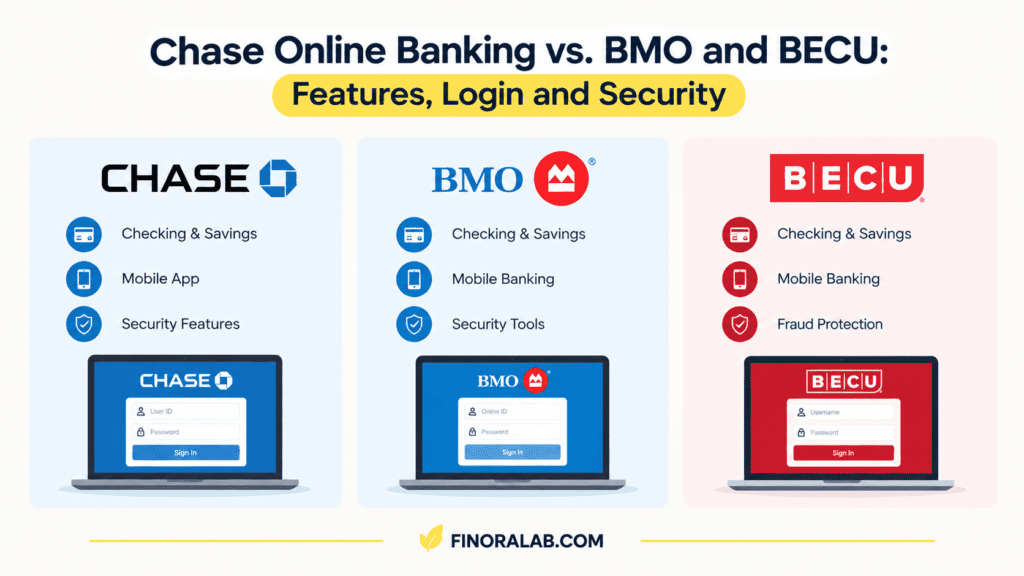
If you want the short answer, here it is. Chase online banking fits people who want a huge national bank with a polished app and branches in many states. BMO online banking suits customers of BMOs U.S. branches who want mobile deposit and Zelle tied to a checking account. BECU online banking is built for members of a Washington State credit union, and you have to qualify for membership before you can use it. All three let you check balances, move money, pay bills, and deposit checks from your phone. The real differences are who can join, which features come with which account, and how each one handles money you send to other people.
Those differences matter more than they seem. A banks website and app are where most people do nearly all of their banking now, so the quality of the login process, the mobile deposit rules, and the security tools shape your day to day experience far more than a branch ever will. This article walks through each platform, compares them side by side, covers enrollment and login problems, and explains how to protect your account.
Chase Online Banking What You Get
Chase online banking runs through chase.com and the Chase Mobile app. You can enroll from either one, and the same username and password work in both places. During first time setup, you create a username and password, then verify your identity, usually with a code sent to a phone number or email address on file. Chase says it uses multifactor authentication to confirm that you own the accounts you are trying to reach when you first sign in on a new device.
Once you are in, the dashboard shows your accounts, and the core tools are what you would expect transfers between your own accounts, bill pay, statements, alerts, and a check deposit feature in the app. Chases business support pages note that mobile deposits come with daily and monthly maximums for each eligible account, and the limits appear on screen when you start a deposit. That is a useful detail. Rather than guessing, open the deposit screen and read the limit before you count on depositing a large check.
Zelle at Chase
Zelle is built into the Chase Mobile app and chase.com. According to Chase, you need a Chase checking account to use it, and Chase does not charge consumers extra fees for Zelle transactions. The person on the other end does not have to bank with Chase, as long as their bank offers Zelle or they enroll with an email address or U.S. mobile number.
Here is the part many people miss. Chase states that neither it nor Zelle offers reimbursement for authorized payments you make, apart from a limited program for certain imposter scams. In plain terms, if you knowingly send money to someone and later regret it, the money is usually gone. Treat Zelle like handing over cash, not like a credit card charge you can dispute.
Chase Online Banking Login Tips
If you cannot sign in, the sign in page has a Forgot username or password link that walks you through identity verification and shows your username after you pass it. Turning on Face ID or fingerprint sign in in the Chase Mobile app is faster than typing your password each time. It also gives you less to type, and that helps when you are somewhere public.
BMO Online Banking Digital Banking for U.S. Customers
BMO calls its platform BMO Digital Banking, and most people still search for it as BMO online banking. In the U.S., BMOs retail business grew substantially after its purchase of Bank of the West, so a lot of current customers came from that bank. Anyone searching for BMO online banking should check that they are on the U.S. site, because BMO also operates in Canada with a separate set of features and rules.
On BMOs U.S. site, the digital banking platform lets you view statements in one place, switch to paperless statements, pay bills, and use the mobile app to deposit checks. The app includes a feature called FundsNow, which gives you immediate access to the money from an eligible check. BMO is clear that not every check or account qualifies. If the FundsNow option does not appear when you deposit a check, it means the check or the receiving account is not eligible.
Mobile deposit limits at BMO depend on the types of accounts you have. You can find your weekly combined limit inside the app by opening the check deposit screen, choosing the account, and tapping the info icon next to the amount field. BMO also includes CreditView with digital banking, and it advertises a Digital Banking Guarantee, which applies to personal accounts only. If you have a business account, read the terms for your own account type.
Zelle at BMO
BMO requires you to enroll a checking account in order to use Zelle. A savings account on its own will not do it. You can start sending and receiving money using just an email address or a U.S. mobile number, as long as that number or email is not already enrolled with Zelle through another bank. If it is, you need to move it, which Zelles enrollment process handles.
BECU Online Banking A Credit Union Option
BECU, which started as Boeing Employees Credit Union, is a member owned, not for profit credit union based in Washington State. The difference from Chase and BMO shows up before you ever log in. To use BECU online banking, you first have to become a member, which requires meeting eligibility rules tied to where you live, work, or attend school, or to a connection with certain employers and groups. BECU has widened its eligibility over the years, but it is still not open to everyone. Check the eligibility page on becu.org first.
Once you are a member, you enroll in online and mobile banking through BECUs website using your member number and some basic personal information, then log in with a username and password. Online banking and the mobile app are free for members. BECUs online platform lets you view balances, transfer funds, set up alerts, apply for loans, and manage statements, and the mobile app supports remote check deposit.
The main trade off is geography. BECUs branches are concentrated in Washington, and while shared credit union ATM and branch networks help, a member who moves out of the region will do more of their banking online. Members who live far from a branch should look at the digital tools first and decide whether they are enough.
Chase vs. BMO vs. BECU Online Banking Compared
| Feature | Chase | BMO (U.S.) | BECU |
| Type of institution | National bank | National bank | Member owned credit union |
| Who can sign up | Customers with a Chase account | Customers with a BMO account | Eligible BECU members |
| Mobile check deposit | Yes, with limits shown at deposit | Yes, limits vary by account type | Yes |
| Zelle | Requires a Chase checking account | Requires a BMO checking account | Check BECUs current options |
| Deposit insurance | FDIC | FDIC | NCUA |
| Branch footprint | Large, many states | Regional U.S. presence | Mostly Washington State |
Two points deserve extra attention. First, the deposit insurance difference is not a weakness. FDIC insurance covers deposits at insured banks, and NCUA insurance covers deposits at federally insured credit unions, and both generally protect up to $250,000 per depositor, per institution, per ownership category. Second, the Zelle row shows how much the details vary. Chase and BMO both require a checking account, and a credit union may offer different payment tools, so check what your own institution supports before you rely on it.
How to Enroll and Log In to Online Banking
The enrollment steps are similar at all three institutions. You need to already have an account, or in BECUs case, membership. Have your account number or member number ready, along with a Social Security number or other identity details and a working phone number and email address. Visit the institutions official site or download its app from the Apple App Store or Google Play, select the enroll or sign up option, and follow the identity checks. Choose a unique username and a long password, and let the app set up fingerprint or face recognition if you want faster sign ins on your own phone.
For a Chase online banking login, go to chase.com or open the Chase Mobile app. For BMO, use the U.S. BMO site or the BMO Digital Banking app. For a BECU login, go through becu.org. Type the address yourself or use the official app. Do not click a link in a text message or email, because fake bank sign in pages are one of the most common ways people lose access to their accounts.
What to Do When Online Banking Login Fails
Most login problems fall into a few buckets. The first is a forgotten username or password, and every one of these banks offers a recovery link on its sign in page. The second is a locked account after too many wrong attempts, which usually calls for a phone call to the institution. The third is a verification code that never arrives. Check that the phone number on file is current, check your spam folder if the code goes to email, and try again after a few minutes instead of requesting codes repeatedly, which can trigger a temporary lock.
Browser trouble causes more problems than people expect. Clearing cookies, trying a different browser, or turning off an extension that blocks scripts can fix a page that will not load. If the app crashes, update it, restart your phone, and if needed reinstall it. When nothing works, call the number on the back of your debit card, not a number from a search result or a pop up.
Keeping Your Online Banking Account Secure
Strong security habits matter more than which bank you choose. Use a password that you do not use anywhere else, and a password manager makes that realistic. Turn on two step verification wherever it is offered, and turn on account alerts for logins, large transactions, and changes to your contact details, so that you hear about trouble fast.
Be careful with public Wi Fi. If you must use it, stay in the banks official app instead of a browser and avoid doing anything sensitive on a shared computer. Keep your phones operating system and your banking app updated, since updates often close security holes.
Scams deserve their own warning. Banks will not call and ask for your full password or a one time code, and anyone who does is almost certainly trying to steal from you. Be especially suspicious of messages that create urgency, such as a claim that your account is frozen or that you must move your money to a safe account. With Zelle, the stakes are higher because payments are fast and typically cannot be reversed once you authorize them. Confirm the recipients name and number before you send, and never send money to someone you only know online.
Common Mistakes With Online Banking
People often set one weak password and reuse it. They also leave their contact details out of date, which means verification codes go to an old phone. Another frequent mistake is depositing a check by phone and then spending the money before it clears. Even when an app shows your balance going up right away, the deposit can still be reversed if the check bounces, and a feature like BMOs FundsNow only applies to eligible checks.
Some customers also forget to keep the paper check for a short time after depositing it, and some deposit the same check twice, once by phone and once at an ATM. Write for mobile deposit only on the back if your bank asks for it, and hold onto the check until the deposit has fully posted. A last common error is ignoring statements and alerts. A quick monthly look at your transactions catches fraud earlier than almost anything else.
Which Online Banking Platform Fits You?
The choice usually comes down to access and need. If you live in a state with many Chase branches, travel often, or want one large bank for checking, credit cards, and loans, Chase online banking is a practical choice. If you already bank with BMO in the U.S. and want mobile deposit with quick access to eligible checks, BMO Digital Banking covers that. If you live or work in Washington and qualify for membership, BECU is worth comparing, especially if you prefer a not for profit credit union with free online and mobile banking.
You do not have to pick only one. Many people keep a main account at one institution and a second account elsewhere, and that gives them a backup if one app goes down.
Conclusion
Chase, BMO, and BECU all give customers the tools most people need balance checks, transfers, bill pay, alerts, and mobile check deposit. The differences are in who can join, how Zelle works, how deposit limits are set, and how large each institutions branch and ATM network is. Chase suits people who want a large national bank, BMO suits its U.S. customers who want fast access to eligible mobile deposits, and BECU suits eligible members who prefer a credit union.Whichever one you use, the practical takeaway is the same. Log in only through the official site or app, turn on two step verification, read the deposit and Zelle limits before you rely on them, and review your accounts every month. Those few habits protect your money far better than any single feature.
You may also read more blogs
FAQs
How do I sign up for Chase online banking?
You need an existing Chase account. Go to chase.com or open the Chase Mobile app, choose the enroll option, verify your identity, and create a username and password. The same login works on both the website and the app.
Do I need a checking account to use Zelle at Chase or BMO?
Yes. Chase says you need a Chase checking account to use Zelle, and BMO requires you to enroll a checking account. A savings account on its own is not enough at either bank.
Can anyone use BECU online banking?
No. You must first be a BECU member, and membership depends on eligibility rules such as where you live, work, or go to school. Check the eligibility page on becu.org before you apply.
Is my money safe in online banking?
Deposits at FDIC insured banks like Chase and BMO, and at NCUA insured credit unions like BECU, are generally insured up to $250,000 per depositor, per institution, per ownership category. That insurance covers a bank failure, not scams in which you authorize a payment yourself. Strong passwords and two step verification are what protect you against those.
Why is my mobile check deposit limit lower than I expected?
Banks set deposit limits based on account type, account history, and risk. Chase shows the applicable limits when you start a deposit, and BMO shows your weekly limit under the info icon in the deposit screen. If the limit is too low, ask your bank whether it can be reviewed.
What should I do if I forget my online banking username or password?
Use the forgot username or password link on the banks official sign in page and complete the identity check. If your account is locked, call the number printed on your debit card.
Can I get my money back if I send a Zelle payment to the wrong person?
Often you cannot. Chase states that it does not reimburse authorized Zelle payments, apart from a limited program for certain imposter scams. Always confirm the recipients name and mobile number or email before you hit send.
Is it safe to use the banks app on public Wi-Fi?
It is safer than using a browser, since official bank apps use encryption, but a private connection is still better. Avoid shared computers, and never enter your login on a page you reached through a link in a message.
